Run the appointments and the work that follows.
CalendarLift takes bookings from your website, keeps staff, resources and locations from colliding, and carries the job through quotes, payment and the day itself.
Already using CalendarLift? Log in
The actual software
A working diary, not a list of features.
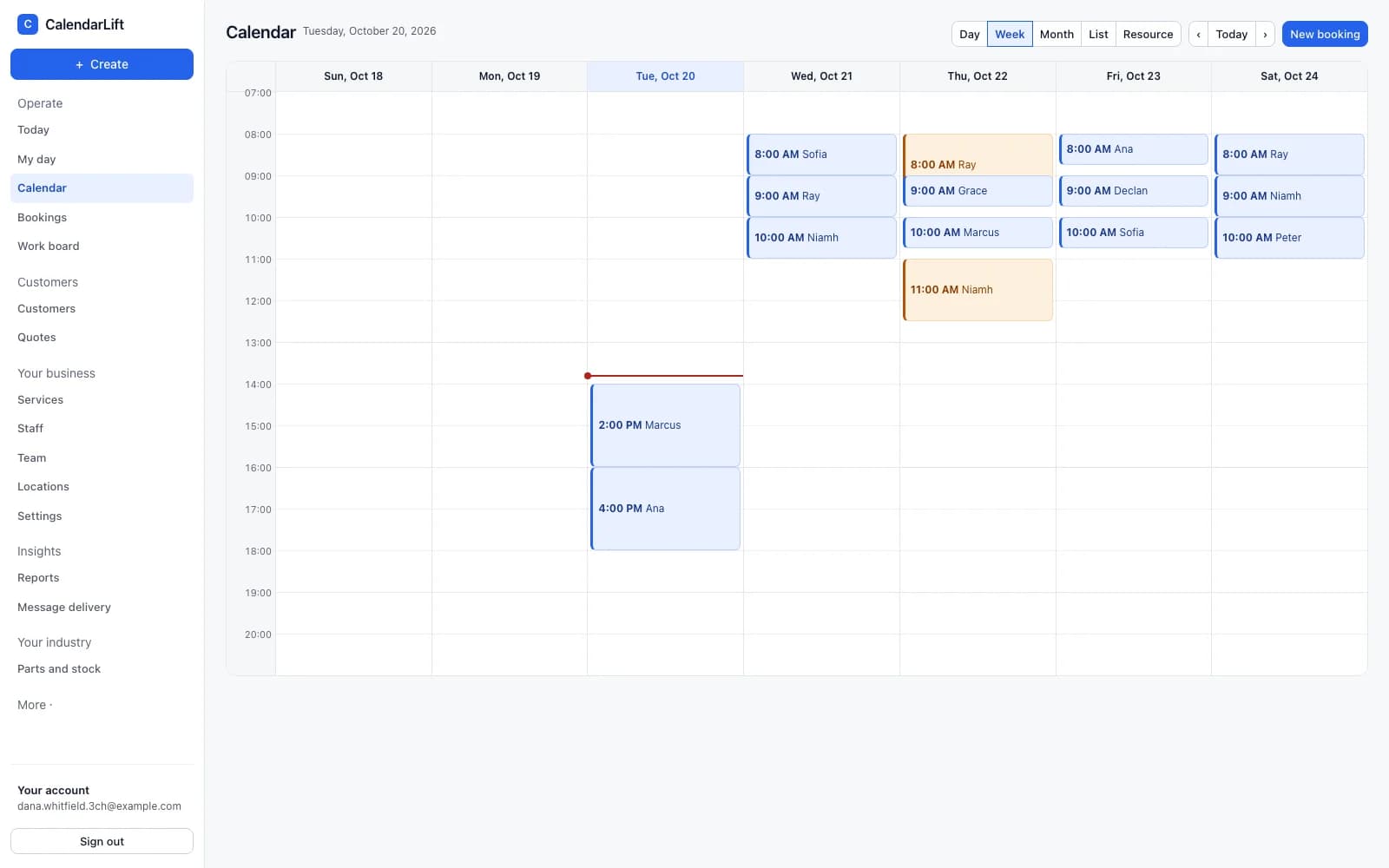
Every picture on this page is a screenshot of CalendarLift running. This is the week view: staff down the side, the current time marked, and a booking you can drag to a new slot — which the availability engine either accepts or refuses.
Scheduling
Bookings that cannot double-book you.
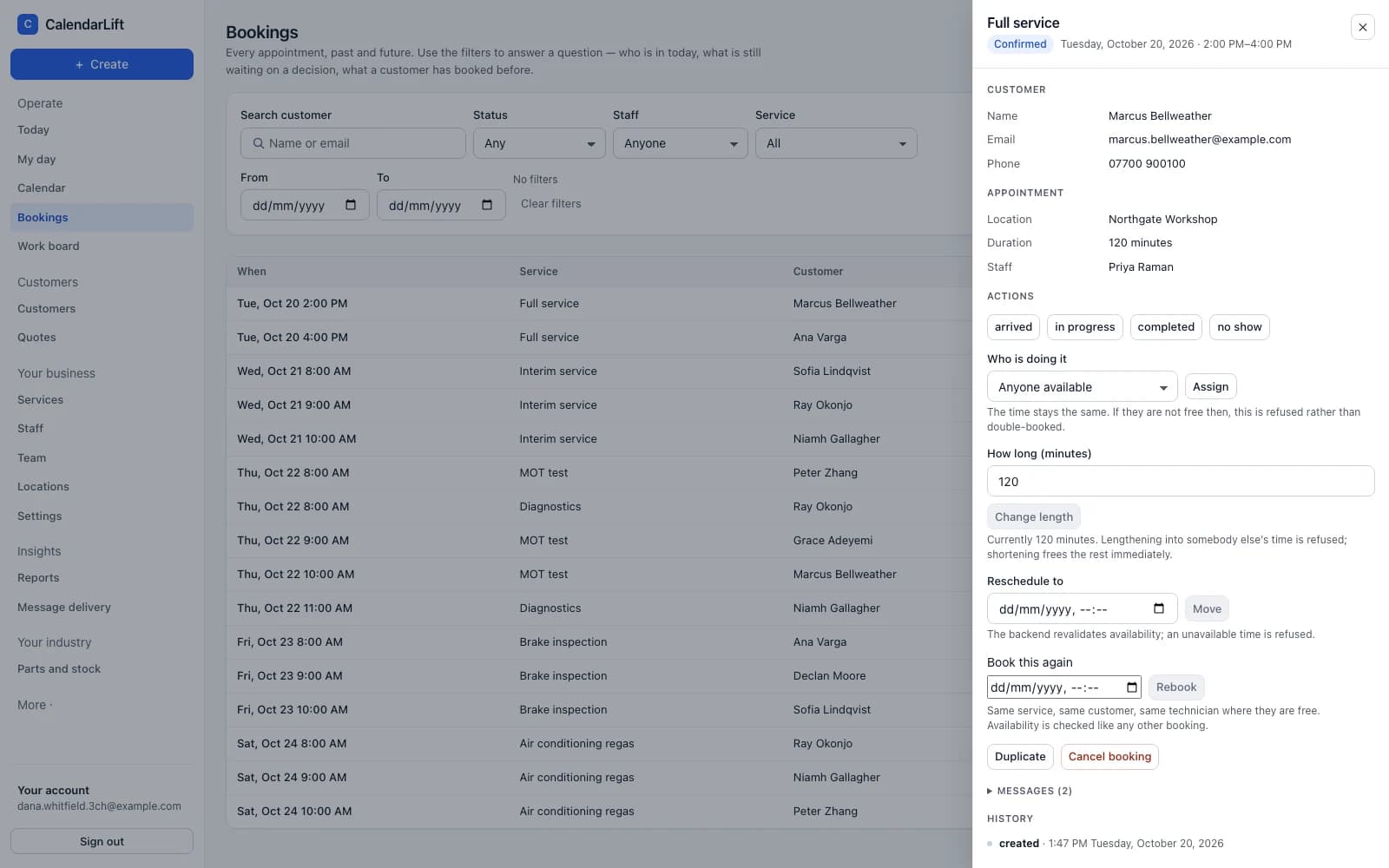
Availability is worked out from the rules you set — opening hours, who can do what, how long it takes, how much notice you need. A customer is only ever offered a time you can actually keep.
- Instant or on request. Confirm automatically, or review it first.
- Staff and resources. A person and a bay are different things, and a job can need both.
- At you, at them, or remote. Services can ask for an address, or no address at all.
- Moves without mess. Reschedule from the calendar or let the customer do it themselves.
Run the day
Open it in the morning and know where you stand.
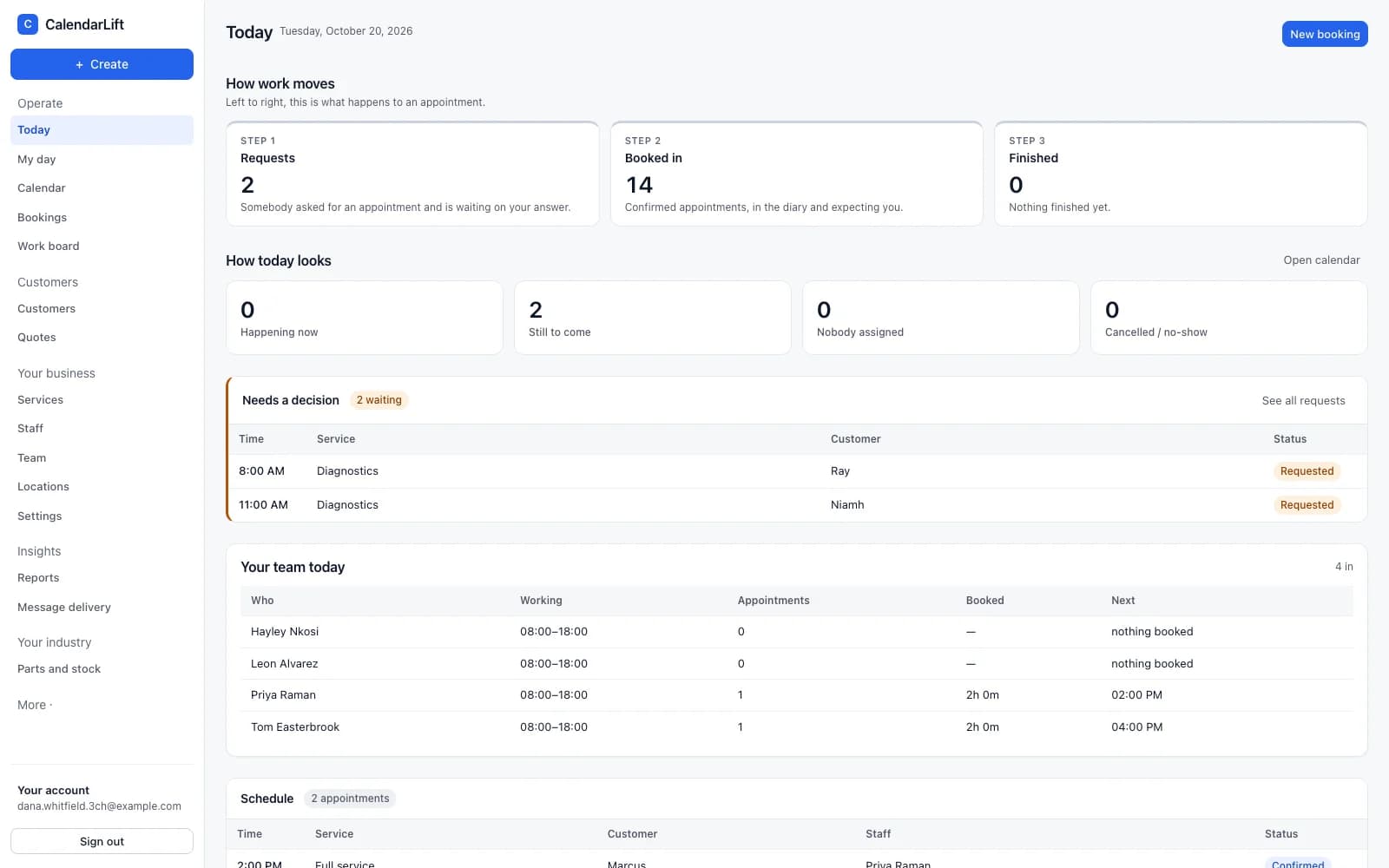
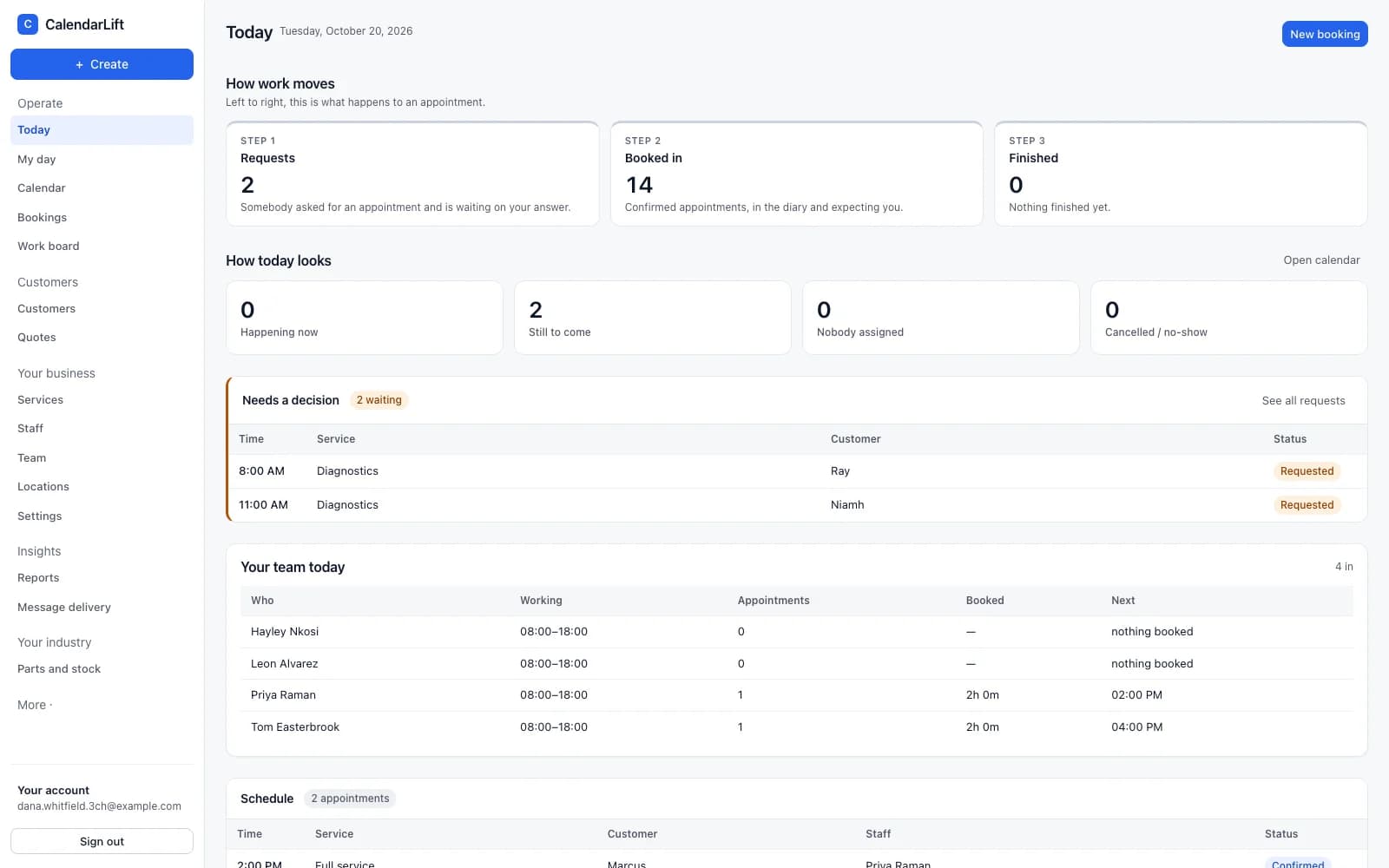
What is happening now, what is still to come, who has nobody assigned, and what is waiting on a decision from you. Each number is a link to the thing itself.
- Requests waiting. Approve or decline with a reason the customer receives.
- Your team today. Who is working, what they are booked on, and what is next.
- Messages that did not arrive. Told to you, rather than left in a log.
Quotes to payment
Price the work, get it agreed, get paid.
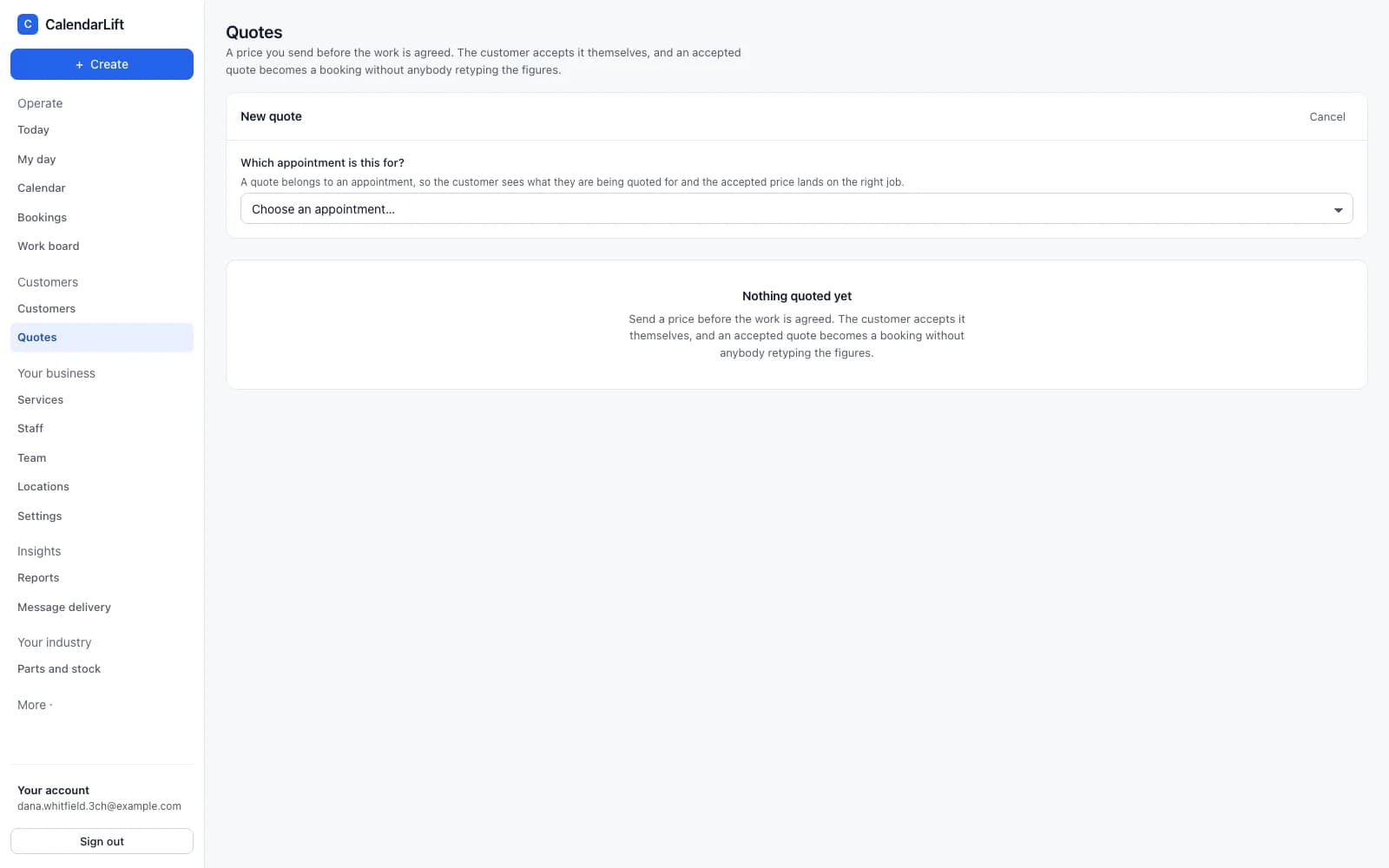
Build a quote with quantities, a discount and tax. The customer reads it on their own page and accepts or declines it themselves — and an accepted quote carries its price into the booking without anybody retyping a figure.
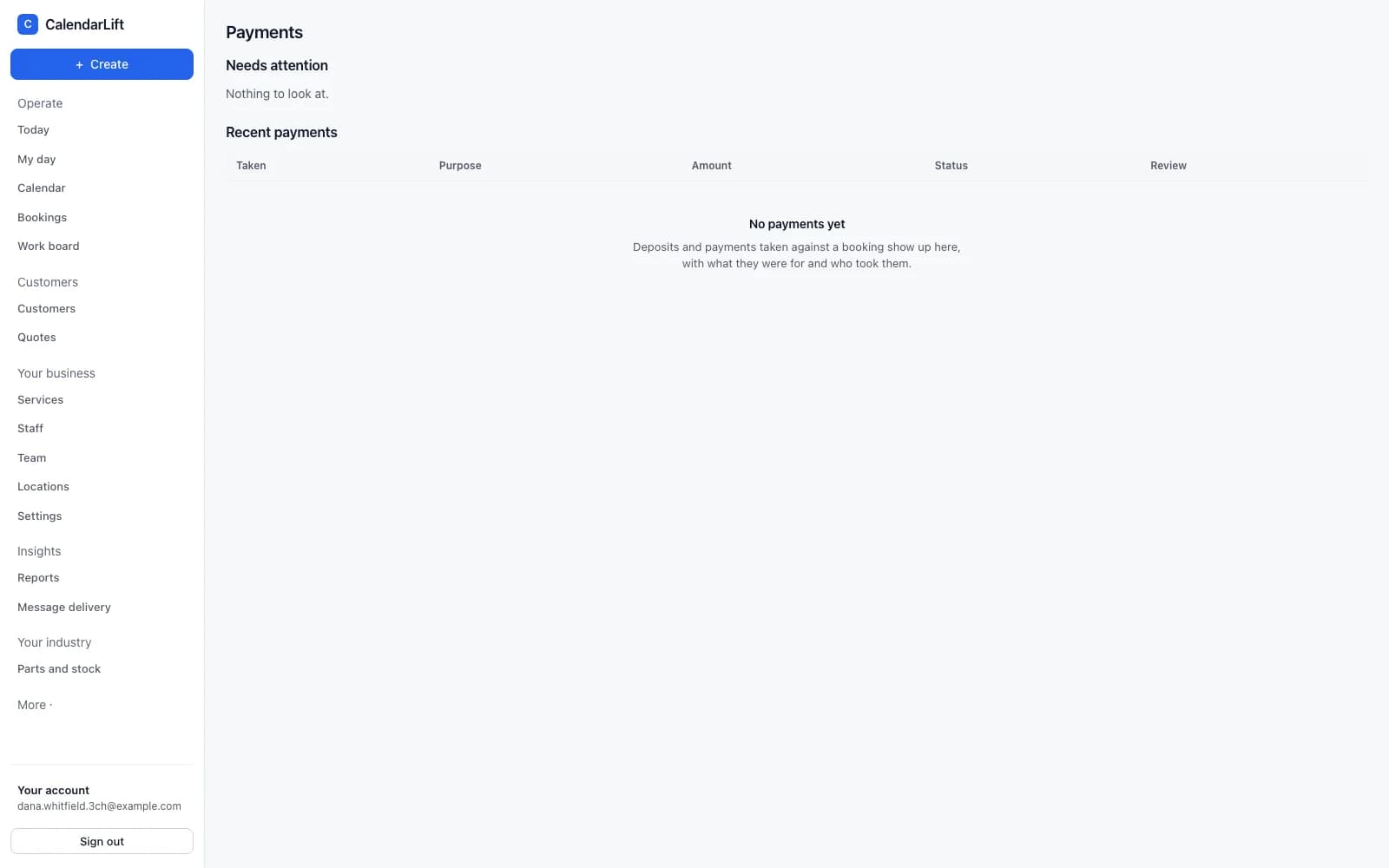
Payments go to your own Stripe account. You connect it once from Settings; the money from your customers arrives in your account, not ours. If you would rather take payment yourself, leave it switched off — everything else works the same.
How quotes and payments workCustomers
Everything you know about them, in one record.
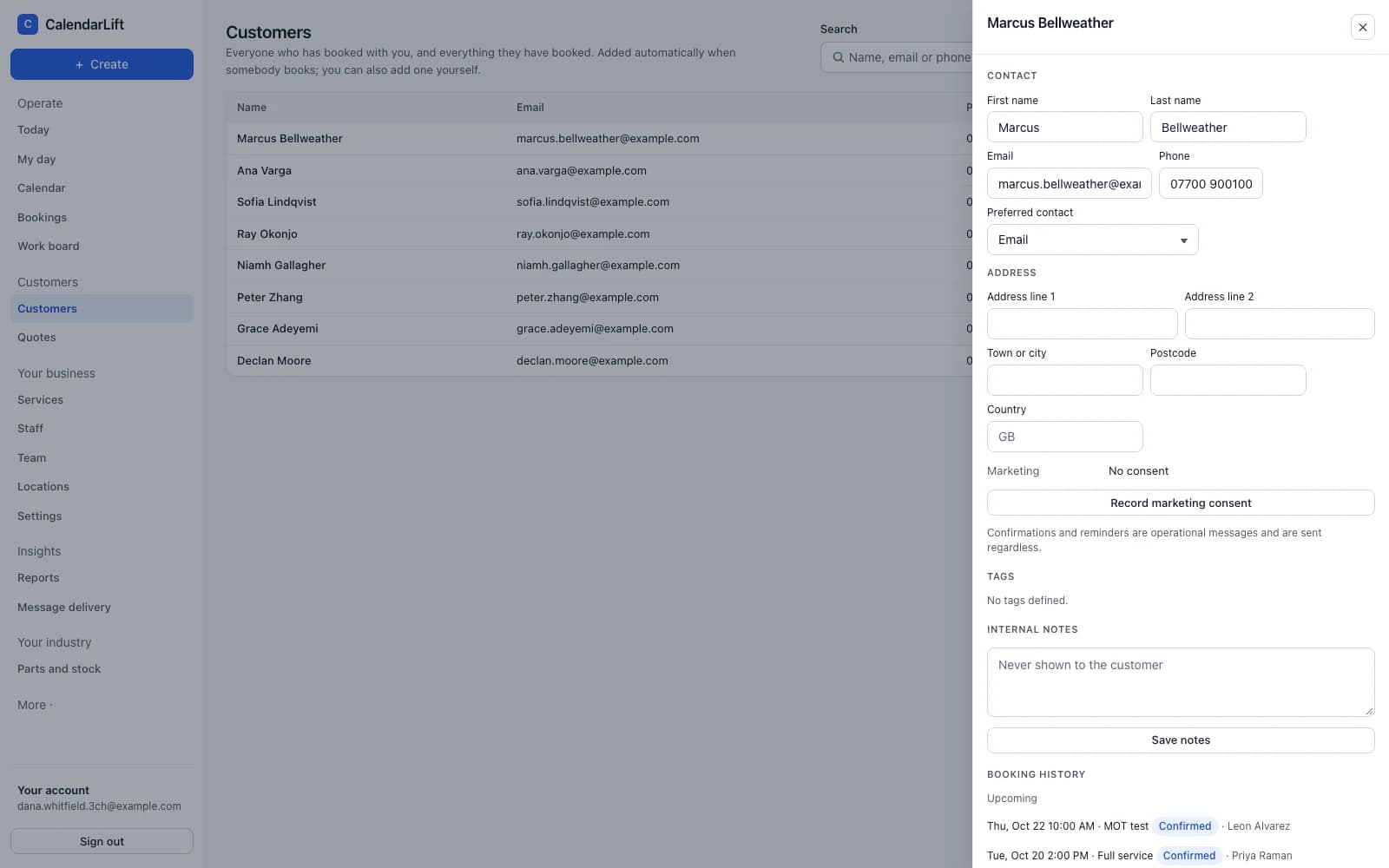
Customers are created as they book. Open one and you have their details, every appointment they have had and have coming, the quotes you sent and what happened to each of them.
- Their history. What they booked, when, with whom, and what it came to.
- Bring your list. Import from a spreadsheet — you see exactly what will be created before anything is.
- It is yours. Export the whole list whenever you want it.
Booking from your website
Customers book themselves, on your site or ours.
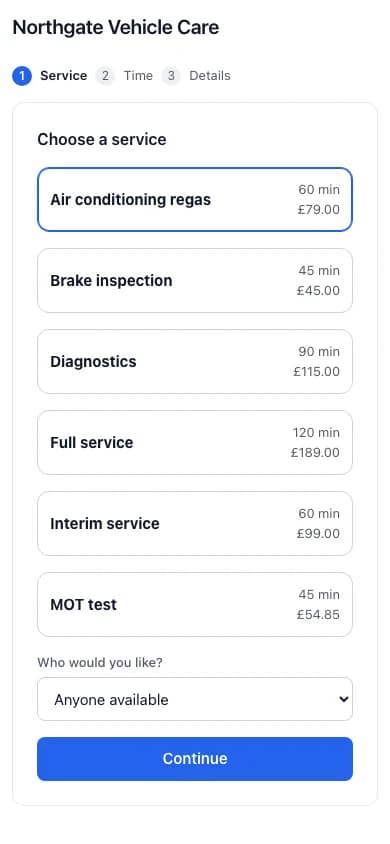
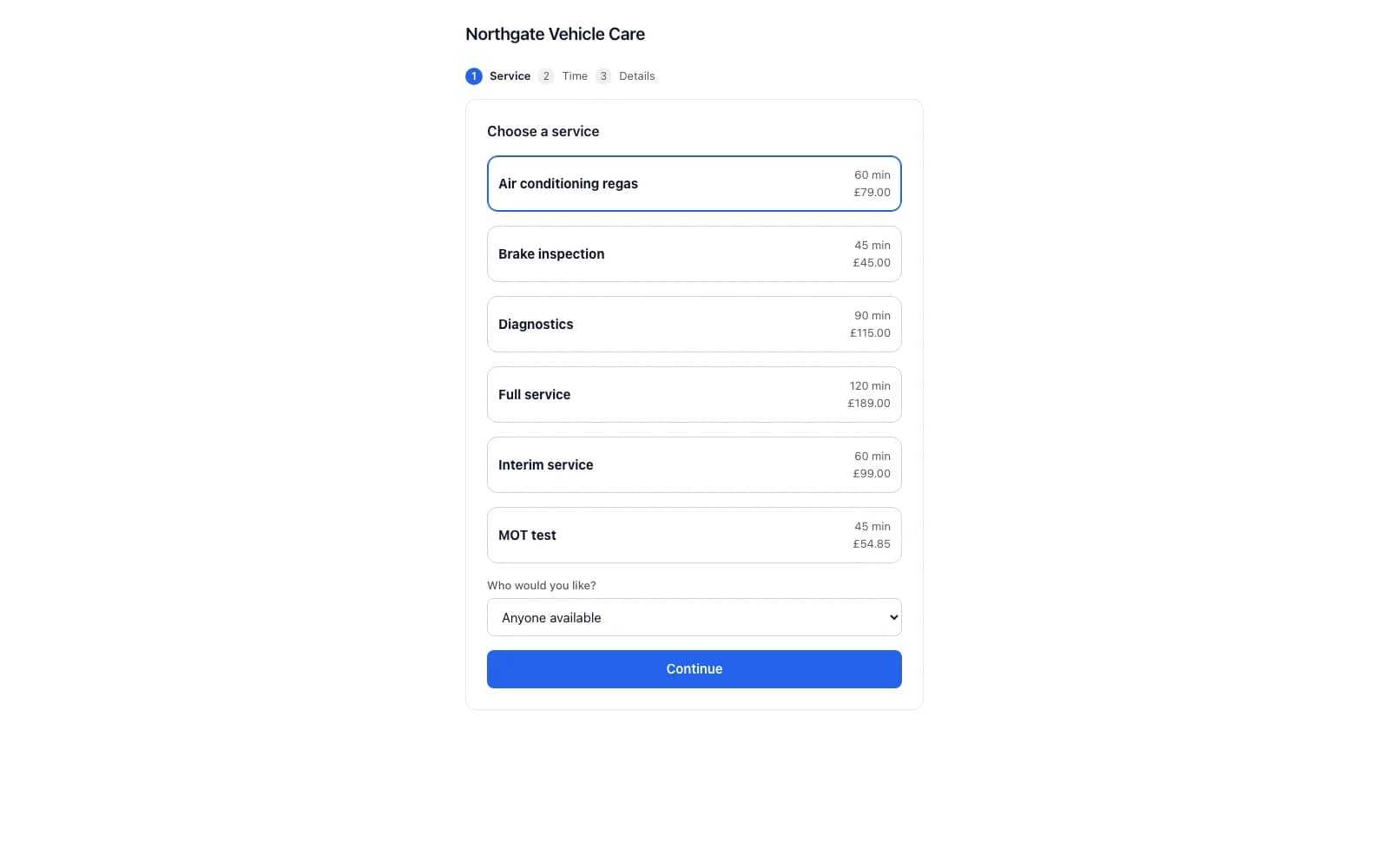
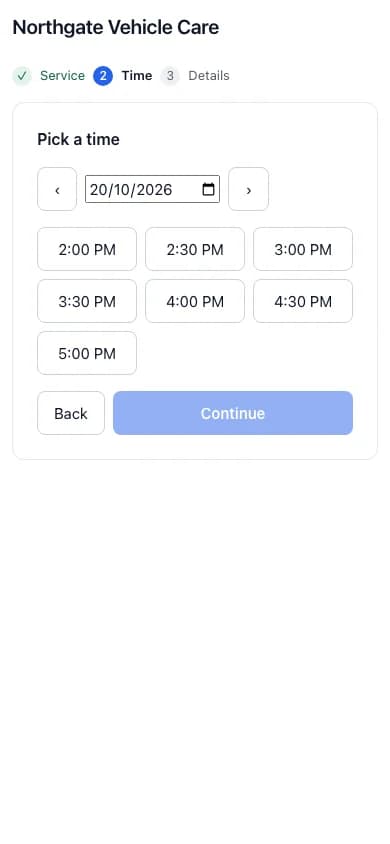
Paste one line into your website and the booking form appears in your page, carrying your name and your colour. Or send people to a hosted page if you would rather not touch your site at all.
- Built for a phone. Most people book on one, so that is the size it is designed at.
- Only real times. The form asks the same availability engine your calendar does.
- They can change it. Reschedule and cancel links, without telephoning you.
The rest of the day
Stock you actually use, and numbers you actually asked for.
Parts and stock
What is on hand is worked out from what came in and what went out, so every figure can be explained. Low stock is flagged without painting the screen red, and an adjustment has to say why it happened.
More on inventory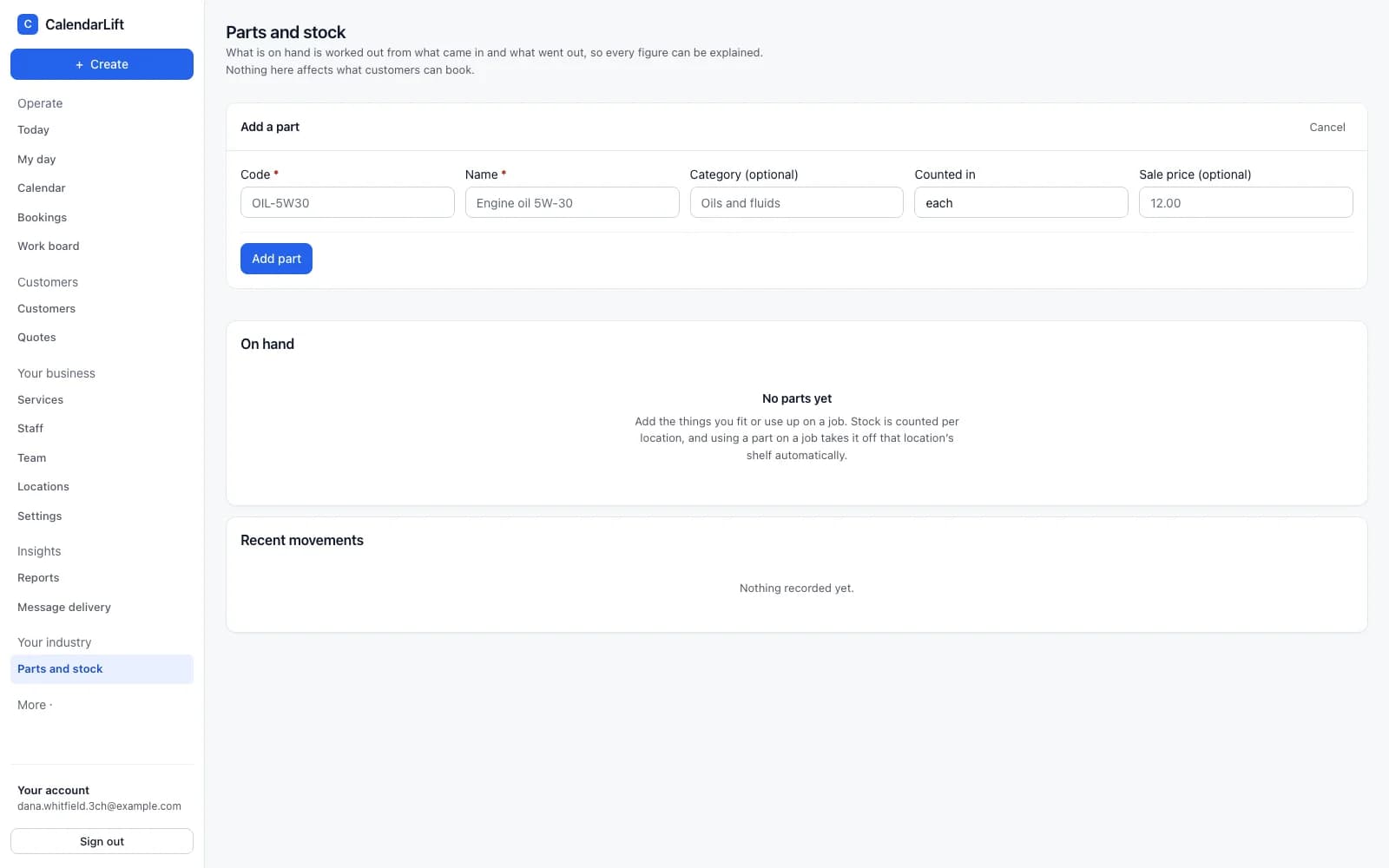
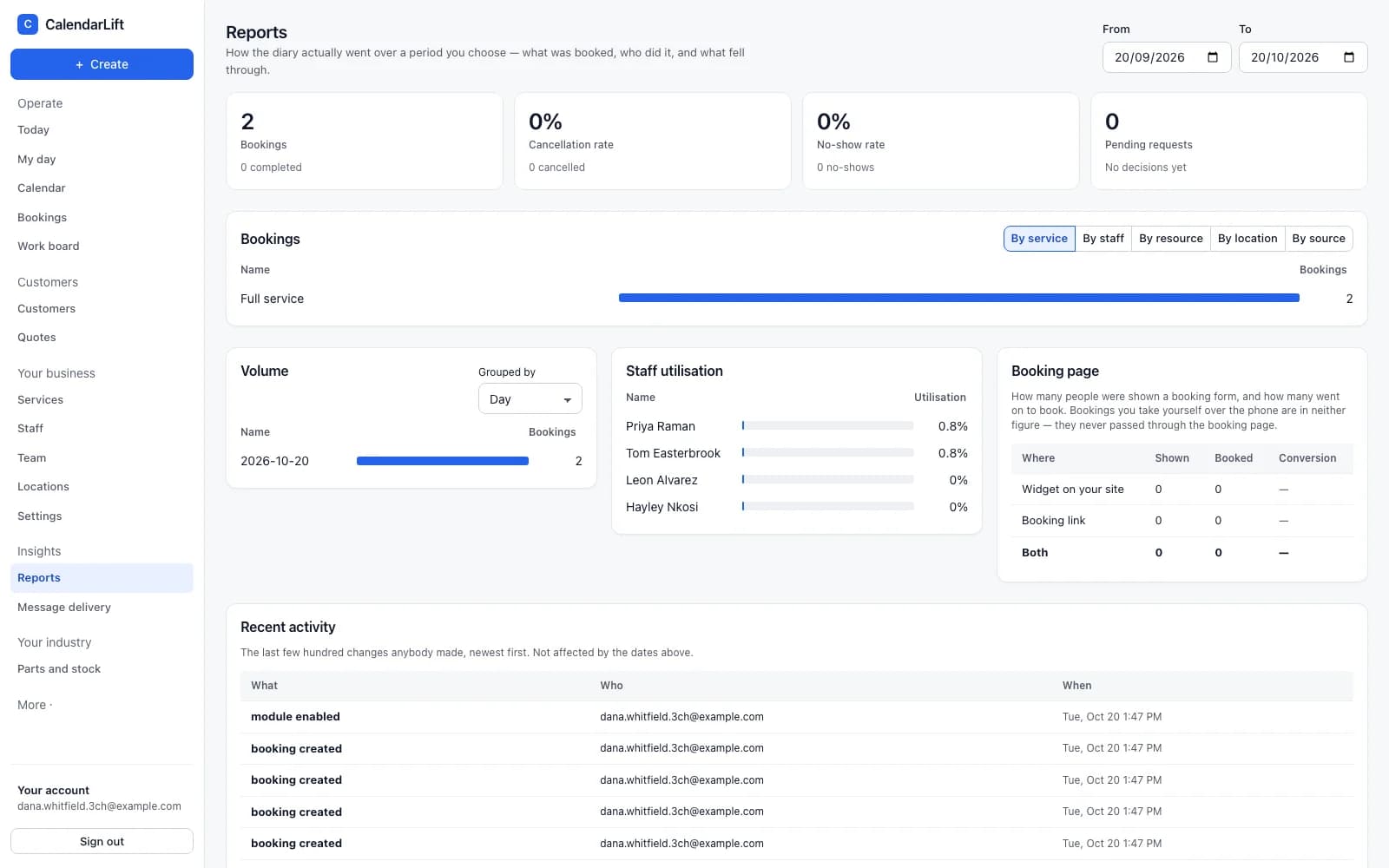
Reports
How the diary actually went over a period you choose — what was booked, who did it, where it came from and what fell through. Questions a business asks, rather than a wall of charts.
See it against your own week.
Tell us what your business does and we will show you CalendarLift set up the way you would actually run it.